Instagram Audio Downloader — Save Reels Audio as MP3
Paste any public Instagram reel, post, or story link and download the audio in high quality — free, fast, and no login required.
Public content only · No registration · Nothing stored on our servers.
SaveyHub is a free Instagram audio downloader that turns any public reel, post, or story into a clean, high-quality audio file in seconds. There's nothing to install and no account to create — just paste a link and save the sound. Whether it's a trending song, a voiceover, or a soundbite you want to keep, SaveyHub gets you the audio quickly while keeping your activity private. It works the same way on a phone or a laptop, so you can grab a track wherever you happen to hear it.
How to Download Instagram Audio
Saving a sound takes three quick steps. There's no registration, no software, and nothing to figure out.
1. Copy the link — Open Instagram, find the reel, post, or story with the audio you want, tap the three dots, and choose "Copy Link." On a desktop browser you can copy the URL straight from the address bar.
2. Paste it above — Drop the link into the box and press Download. SaveyHub reads the source and pulls out the audio track, separating the sound from the video for you.
3. Save your audio — Preview the sound to make sure it's the right one, then download the high-quality file straight to your phone or computer. That's the whole process.
What You Can Download
SaveyHub pulls the sound from any public Instagram content — not just reels. If you can open it in a browser without logging in, you can usually save its audio.
Reels audio
Reels are where most viral sounds live. Grab the music, voiceover, or sound effect behind any public reel and keep it as an audio file you can replay whenever you want.
Story sound
Instagram stories disappear after 24 hours. If a story has a sound you love, save the audio before it's gone for good — paste the public story link while it's still live.
Post audio
Sometimes you want the sound from a regular video post, not the video itself. SaveyHub pulls just the audio, so you keep the track without the extra file size.
Why Choose SaveyHub
Plenty of tools claim to download Instagram audio. Here's what makes SaveyHub simple to trust and easy to use every day.
High-quality audio — Clear sound that matches the original reel, not a muffled or compressed copy.
No account needed — No sign-up, no password, no email. You never hand over any personal details — just paste and go.
Works on any device — iPhone, Android, tablet, or desktop, straight from the browser. There's no app to install and no update to chase.
Genuinely free — No subscriptions, no download limits, and no hidden fees waiting at the end.
Private by design — Links are processed in real time and nothing is stored afterward — not the URLs you paste, not the files you save.
Fast — Most audio is ready to download in just a few seconds, even on a mobile connection.
Who Uses an Instagram Audio Downloader?
Saving audio from Instagram isn't just for one kind of person. These are the most common reasons people reach for a tool like this.
Content creators
Creators save trending sounds to reuse in their own posts, match a popular audio format, or keep a library of clips they can pull from later. Having the raw audio on hand makes it far quicker to jump on a trend before it fades.
Video editors
Editors often need a clean audio track to drop into editing software. Recording the sound off a speaker introduces noise; downloading it directly keeps the quality intact and saves time in post.
Musicians and DJs
Musicians use saved clips to study a track, sample a sound for inspiration, or identify a song they discovered in a reel. Keeping a personal reference collection is a normal part of the creative process.
Students and everyday listeners
Sometimes you just want to keep a motivational speech, a funny soundbite, or a song you can't get out of your head. No creative project required — saving a sound you like is reason enough.
MP3 vs M4A: Which Audio Format Should You Keep?
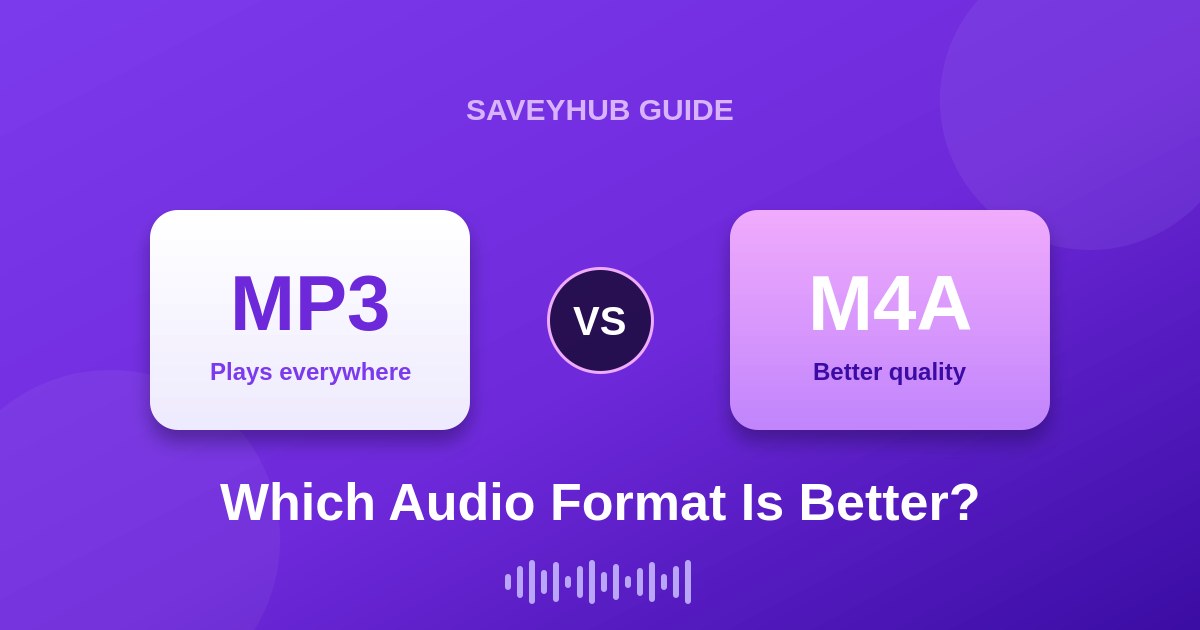
When you download audio, you'll usually see it saved as MP3 or M4A. Both are high-quality formats, and for everyday listening the difference is small — but it helps to know what you're getting.
MP3 is the most widely supported audio format in the world. It plays on virtually every phone, computer, speaker, and app without any conversion, which is why most people prefer it for sharing and quick playback.
M4A (also called AAC) often delivers slightly better sound at the same file size, and it's the format Instagram and Apple devices use natively. It plays perfectly on iPhones and most modern devices, though a few older players may not support it.
The short version: if you want the most universal file that plays anywhere, choose MP3. If you're on Apple devices and want the best quality-to-size ratio, M4A is a great pick. Either way, the audio you save with SaveyHub stays clear and true to the original.
Download Instagram Audio on Any Device
The steps are the same everywhere, but here's exactly how it looks on each device so nothing trips you up.
On iPhone
Open Instagram, tap the three dots on the reel or post, and choose "Copy Link." Switch to your browser, paste the link into SaveyHub, and download. Your audio saves to the Files app, where you can move it into any music or editing app you like.
On Android
Copy the link the same way from the Instagram app, open your browser, paste it into SaveyHub, and tap Download. The file lands in your Downloads folder, ready to play or share instantly.
On PC or Mac
On a computer, copy the reel or post URL from the address bar or the share menu, paste it into SaveyHub, and download. Desktop is handy when you're saving several clips at once for an editing session.
SaveyHub vs Other Ways to Save Audio
There are a few ways people try to keep a sound from Instagram. Here's how they actually compare.
| Method | Audio quality | Needs login? | Extra software? |
|---|---|---|---|
| SaveyHub | High | No | No |
| Screen recording | Low / noisy | Yes | Sometimes |
| Phone mic recording | Poor | Yes | No |
| Random app downloads | Varies | Often | Yes (risky) |
A clean web tool gives you the original sound without background noise, logins, or sketchy apps. That's why pasting a link is simpler and more reliable than trying to record a sound off your screen or speaker.
Getting the Best Audio Quality
The audio you download can only be as good as the source. A few simple habits help you keep every clip crisp and clear.
Start with the original reel or post rather than a re-shared version. Every time a clip is reposted, it can lose a little quality, so the first upload usually has the cleanest sound. When you have a choice, pick the account that posted it first.
Choose the format that fits how you'll use the file. For playback across many devices, MP3 is the safest bet. For editing on Apple software or keeping the smallest high-quality file, M4A works well. Neither will noticeably hurt the sound for normal listening.
Finally, save clips while they're still live. Stories in particular vanish after 24 hours, and a reel can be deleted at any time. If a sound matters to you, download it sooner rather than later so it's safely on your device.
Common Problems and Quick Fixes
Most downloads work on the first try. If something doesn't, one of these quick checks usually solves it.
The link won't load
Double-check that you copied the full link and that the account is public. Private posts can't be processed, and a partial or mistyped URL will return an error. Copying the link again straight from Instagram fixes this most of the time.
No audio found
A few posts genuinely have no sound, or use audio that Instagram has restricted. Try a different reel from the same creator to confirm the tool is working, then come back to the original.
The download is slow
Speed usually depends on your connection, not the tool. On a weak signal, waiting a few extra seconds or switching to Wi-Fi clears it up. Since nothing is stored on our end, each request is processed fresh in real time.
A Note for Creators
If you make content yourself, saved audio is a genuine time-saver — but a little care keeps you on the right side of both Instagram and the original creators.
Use downloaded sound for personal reference, practice, or inspiration freely. If you plan to publish something that uses another creator's audio, credit them, and for any commercial project make sure you have the right permissions or a proper license. Respecting the people who made the sound is what keeps the whole ecosystem healthy — and it protects your own account too.
Is It Safe and Legal?
Using SaveyHub is straightforward: you paste a link to public content and get the audio back. The tool never asks for your Instagram password, never touches private accounts, and never logs you into anything.
On privacy, links are processed the moment you paste them and nothing is kept afterward — not the URLs, not the files. Your activity stays your own, and there's no account trailing your history.
One fair note on usage: audio you download still belongs to its original creator. Keeping a sound for personal listening is fine; re-uploading it or using someone's music commercially without permission isn't, no matter how you saved it. Always respect creator rights and Instagram's Terms of Use. (link: https://help.instagram.com/581066165581870)
Frequently Asked Questions
How do I download audio from an Instagram reel?
Copy the reel's link, paste it into SaveyHub, press Download, and save the audio file. No account is needed.
Is SaveyHub free?
Yes, it's completely free with no limits, subscriptions, or hidden fees.
What audio quality do I get?
High-quality audio that matches the original reel's sound, so you don't lose clarity in the download.
Does it work on iPhone and Android?
Yes. It runs in any mobile or desktop browser with nothing to install.
Can I download audio from private accounts?
No — only public reels, posts, and stories can be processed. Private content is protected by Instagram's privacy settings.
Do you store my links or files?
No. Everything is processed in real time and nothing is retained on our servers afterward.
Can I save a story's audio before it disappears?
Yes. Paste the public story link and download the sound within its 24-hour window.
What's the difference between MP3 and M4A?
Both are high quality. MP3 plays on nearly every device, while M4A offers slightly better quality at the same size and works perfectly on Apple devices.
Explore More Tools
Need something else? SaveyHub also has a free Anonymous Instagram Story Viewer for watching public stories without being seen — a handy companion when you want to browse quietly rather than save audio. (link: /story-viewer)
You'll also find step-by-step guides on the blog covering audio formats, device-specific tips, and saving story sound before it expires. New guides are added regularly to help you get more out of every tool.
How to Use
Download Instagram reel audio in just 3 simple steps. No registration required.
Copy Reel URL
Go to Instagram and copy the URL of any reel you want to download audio from.
Paste URL
Paste the copied URL into the input box above and click the "Download Now" button.
Download & Enjoy
Preview the audio and download it instantly as an M4A file to your device.
Key Features
Everything you need to download Instagram reel audio quickly and safely.
High-Quality Audio Extraction
Get clear M4A audio from any Instagram reel with our advanced extraction technology.
Fast & Secure Download
Instant, safe file generation with no data storage or privacy concerns.
No Account Required
Just paste the link and download. No registration, no login, no hassle.
Mobile Friendly
Works perfectly on phones and desktops with our fully responsive design.
Free to Use
No hidden fees or subscriptions. Download as many audios as you want, completely free.
Why Choose SaveyHub?
100% Safe
No malware or viruses
Lightning Fast
Download in seconds
Privacy First
No data collection
Frequently Asked Questions
Got questions? We've got answers.
Latest posts
Read our latest guides, tips, and updates about downloading tik-vib audio.
.jpg)